Consistent employee records
Keep employee, department, designation and employment information in a structured system.
Centralize employee records, time data, approvals, payroll preparation, payslips and HR reporting so teams can reduce duplicate work and improve control.
Clear business outcome
Bring employee information, time records, approvals and payroll preparation into one controlled workflow with clearer management visibility.
Business outcome
Give HR and management one consistent view of employee records, attendance exceptions, approved leave, payroll inputs and reporting.
Keep employee, department, designation and employment information in a structured system.
Review shifts, attendance, lateness, overtime and leave through agreed rules and approvals.
Use approved attendance and HR inputs to support payroll calculations and payslips.
Give authorized managers useful employee, attendance, leave and payroll reports.
Common HR challenges
The HRMS is designed for organizations that need stronger control across employee data, time records, approvals and payroll preparation.
Profiles, documents and organizational information are difficult to keep consistent.
Shifts, missing punches, lateness and overtime are reviewed through disconnected records.
Requests move through messages or paper without a reliable status trail.
HR teams repeatedly combine attendance, leave, allowances and deductions before calculation.
Solution overview
Zylvoo HRMS supports a modular rollout, allowing organizations to begin with priority HR processes and add related capabilities as requirements are confirmed.
Organize employee, department, designation, document and employment information for authorized users.
Connect approved time, leave, overtime and payroll inputs without presenting every policy as a universal default.
HRMS modules and capabilities
Module configuration, rules and employee self-service behavior are confirmed against the organization’s approved HR policies and project scope.
Maintain profiles, employment data, documents and relevant employee information.
Define organization structure, reporting context and role assignments.
Capture and review employee time records using the agreed attendance source and rules.
Configure suitable shift patterns, assignments and attendance expectations.
Support leave types, balances, requests, approvals and status visibility.
Review eligible overtime records through approved policies and authorization steps.
Prepare salary calculations using configured earnings, deductions and approved inputs.
Generate employee payroll output for authorized access or distribution.
Provide selected employee actions and information based on enabled scope and roles.
Route leave, overtime or other configured HR requests through authorized reviewers.
Review employee, attendance, leave and payroll information through suitable reports.
Limit HR, payroll, manager and employee access according to assigned responsibility.
Product experience
The approved screenshot paths are ready. Missing files produce branded fallbacks rather than broken images or fake product screens.
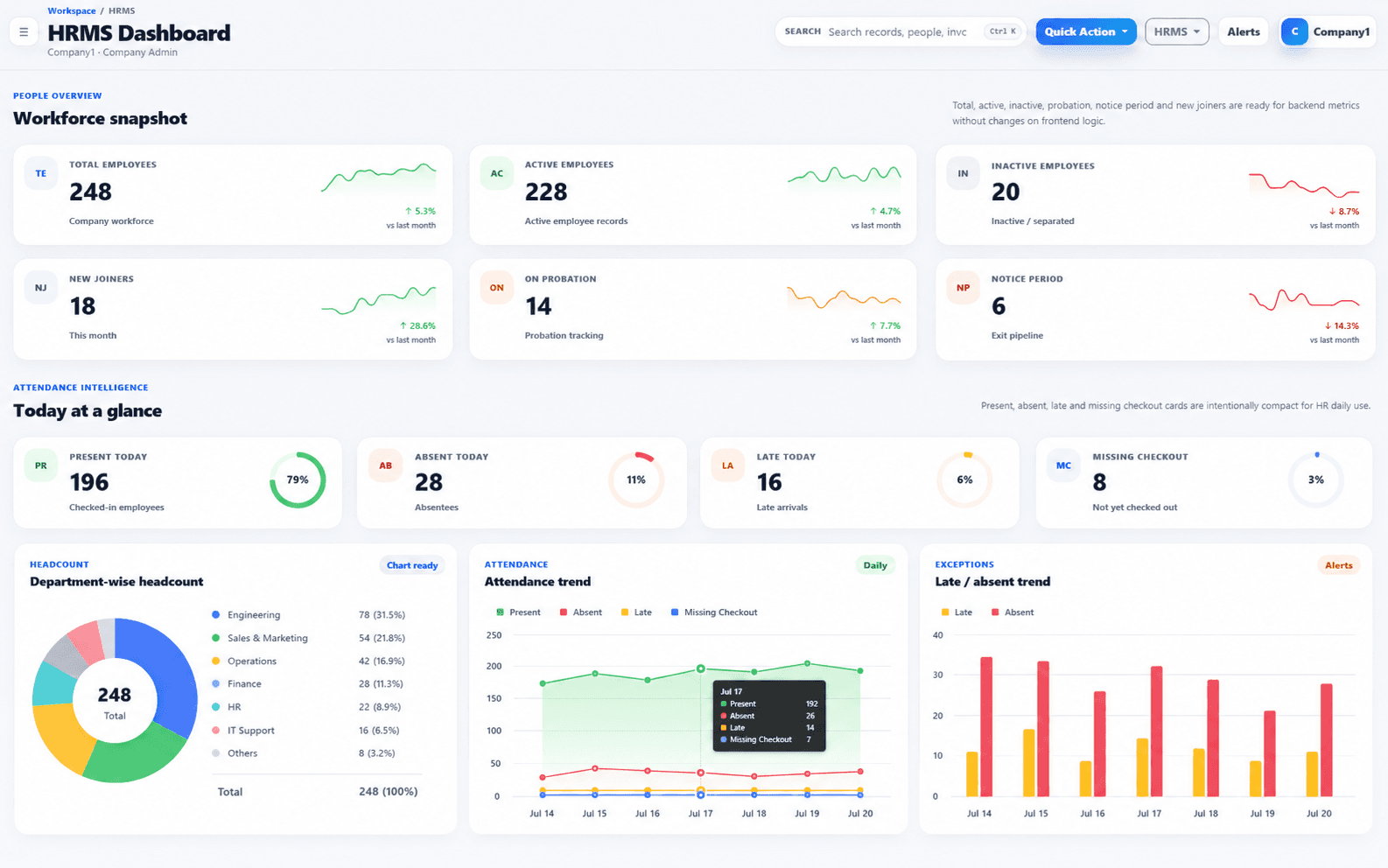
HRMS dashboard
Product preview will appear here when the approved Zylvoo screenshot is added.
A management view for employee, attendance and HR activity.
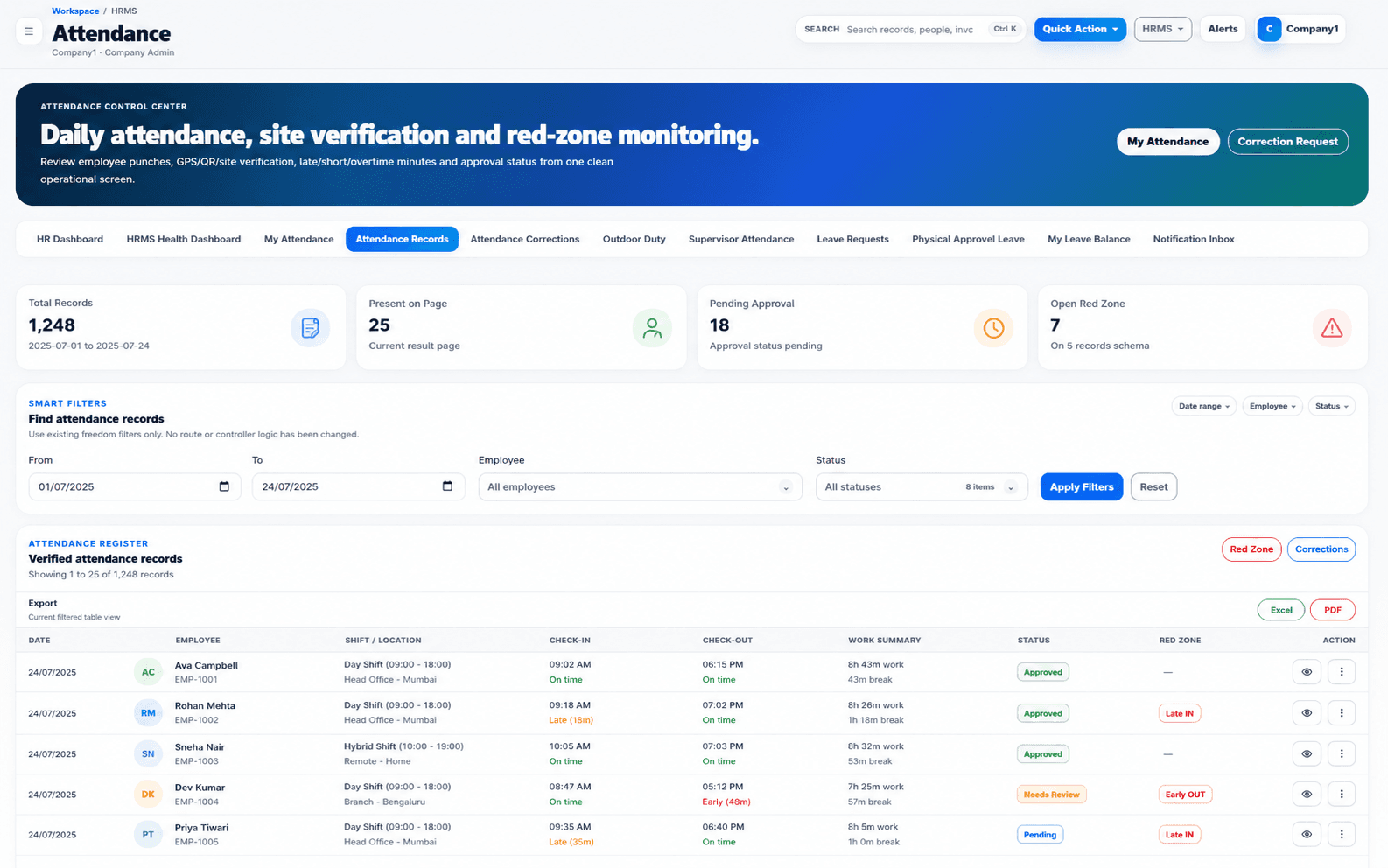
Attendance dashboard
Product preview will appear here when the approved Zylvoo screenshot is added.
A focused view for time records, exceptions and attendance review.
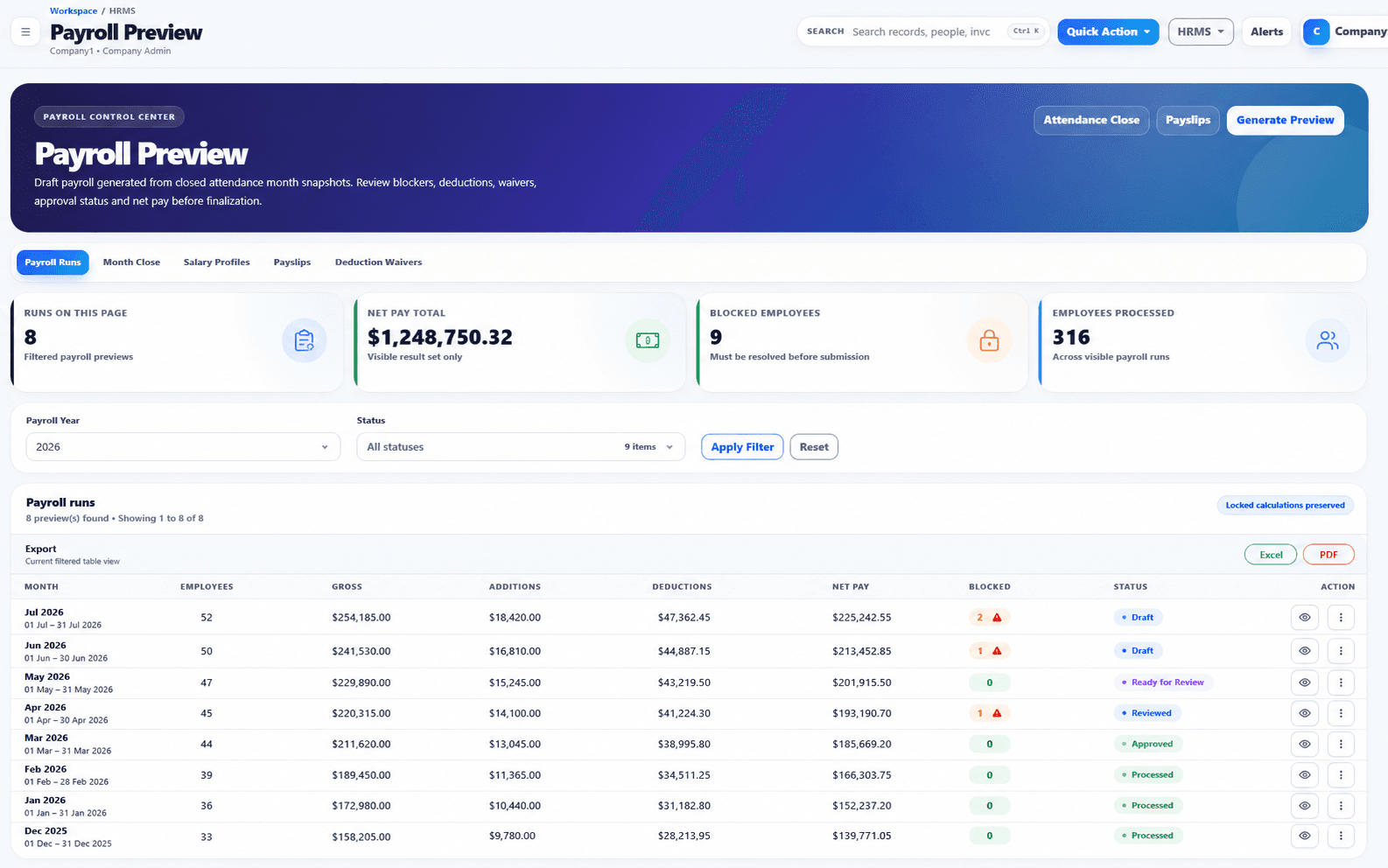
Payroll dashboard
Product preview will appear here when the approved Zylvoo screenshot is added.
A reviewed payroll preparation and status experience for authorized users.
Approved real product screenshots will replace safe fallbacks at the documented local paths. No external or fabricated dashboard image is displayed.
Workflow demonstration
The workflow is configurable. Policies, attendance sources, calculations and approvals are verified during implementation.
Attendance-to-payroll workflow
Connect attendance, leave and overtime decisions to payroll preparation without losing the approval trail.
Capture and review employee time records from the approved source.
Apply policies, balances and authorization decisions.
Use approved inputs with configured earnings and deductions.
Generate payroll output for authorized employee access.
Update management information and payroll status views.
Attendance devices, payroll formulas, statutory requirements and company policies are confirmed for the selected organization and deployment; they are not assumed as universal defaults.
Reports and dashboards
Available reports depend on configured modules, policies, user roles and the quality of source records.
Review employee counts, departments, designations and selected employment status information.
Analyze presence, lateness, missing records and other configured time exceptions.
Review balances, requests, approvals and authorized overtime information.
View prepared payroll totals, selected components and processing status for authorized users.
AI-ready HR workflows
AI is optional and scope-dependent. It should not expose sensitive employee information or replace required human HR decisions.
Prepare readable workforce or attendance summaries from authorized HR information.
Highlight configured patterns or records that need an HR reviewer’s attention.
Answer selected policy or process questions using an authorized knowledge source and controlled access.
Integrations, customization and deployment
The implementation can be adjusted for attendance sources, organization structure, approval levels, payroll rules and deployment requirements.
Assess attendance devices, accounting handoff, identity or selected third-party systems where supported.
Configure policies, forms, approval paths, payroll components, reports and employee access based on scope.
Use an agreed cloud or private deployment model with suitable authentication, backup and access arrangements.
Implementation process
A successful rollout combines system configuration with data preparation, policy validation, UAT, training and operational ownership.
Understand the business, current tools, users, priorities and operational challenges.
Map the recommended system, workflows, integrations, controls and reporting approach.
Confirm included modules, responsibilities, assumptions, exclusions and delivery priorities.
Configure approved capabilities or build the agreed custom features and integrations.
Prepare, validate and transfer suitable data using the agreed migration plan.
Verify functionality, permissions, workflows, reports and user acceptance against scope.
Train relevant users, complete readiness checks and move the approved system into use.
Provide agreed maintenance, issue handling and future improvement planning after launch.
Demo video and live access
Explore approved screenshots, a future walkthrough video, live demo access or a guided session focused on your HR and payroll process.
Approved recording pending
An approved recording can be added at the planned media location. Until then, this panel clearly identifies the pending asset without pretending a video exists.
Illustrative proof
This scenario demonstrates a possible workflow without inventing a client identity, testimonial or measured result.
Initial challenge
Attendance, leave, overtime and payroll calculations move through separate files, repeated checks and unclear approval messages.
Illustrative workflow
Centralize employee and time records, route leave and overtime for approval, prepare payroll from reviewed inputs and generate payslips and HR reports.
Modules in the example
Expected operational benefits
Illustrative case study. No named client, percentage improvement, financial result or customer quotation is claimed.
Tailored HRMS pricing
Pricing depends on enabled modules, employee volume, companies or branches, attendance integration, payroll complexity, migration and support.
HRMS FAQs
Configuration is confirmed against company policy, payroll requirements, source data and the selected deployment.
Yes. A phased rollout can begin with selected employee and attendance capabilities, then add leave, payroll or self-service after the initial process is stable.
Integration depends on the device model, available export or API, data quality and access method. Zylvoo assesses compatibility before confirming scope.
Suitable earnings, deductions, overtime and policy rules can be configured or developed based on documented requirements and applicable review.
Multi-company or multi-branch use can be supported where the selected configuration, permissions and reporting design are included in scope.
Suitable data can be migrated after format review, cleanup, mapping and validation. Import scope depends on data quality and required history.
Training for relevant HR, payroll, manager or employee users can be included as part of the agreed implementation and go-live plan.
Improve HR control
Discuss your workforce structure, current attendance process, payroll preparation and reporting needs with the Zylvoo team.