Better workflow fit
Design screens, steps and permissions around the approved business process.
Map the real process, define the controls and build a maintainable system for workflows that ready-made software cannot support effectively.
Clear business outcome
Custom software is most valuable when the workflow, users, decisions and data responsibilities are clearly defined.
Business outcome
Turn a specific operating problem into a controlled digital workflow with the right roles, approvals, dashboards and integrations.
Design screens, steps and permissions around the approved business process.
Replace informal handoffs with defined actions, statuses, approvals and audit points.
Create dashboards and reports around the questions decision-makers actually need answered.
Use modular architecture that can support agreed future phases without uncontrolled rewrites.
When custom software is appropriate
A custom build should solve a clear business constraint—not recreate common software without a strong reason.
The process depends on roles, thresholds, exceptions or multi-stage decisions that generic tools cannot represent well.
Teams re-enter information because current applications do not exchange approved data.
Management needs workflow-specific dashboards that are not available in standard software.
Important work depends on spreadsheets, email follow-ups and undocumented handoffs.
Service overview
The engagement separates business requirements, product decisions, implementation and long-term support.
Map users, steps, data, permissions, exceptions, reports and integrations before development begins.
Build, test and release the system in controlled increments with documented decisions and user feedback.
Custom software capabilities
Each capability is included only when justified by the business process and agreed scope.
Digitize requests, reviews, approvals, handoffs and exception paths.
Present authorized operational, financial or management information clearly.
Connect suitable internal or third-party systems through documented interfaces.
Create focused applications for teams, operations and administration.
Design multi-user or tenant-aware products when the commercial and technical model requires it.
Provide controlled customer, supplier, employee or partner access to approved functions.
Deliver browser-based experiences that work across supported desktop and mobile devices.
Assess, map, clean and validate suitable data from current files or systems.
Plan issue handling, updates, monitoring and future enhancements through an agreed support model.
Add approved AI assistance when the data, security and review model support it.
Solution experience
Wireframes, approved prototypes and real project screens can replace these transparent placeholders as the engagement progresses.
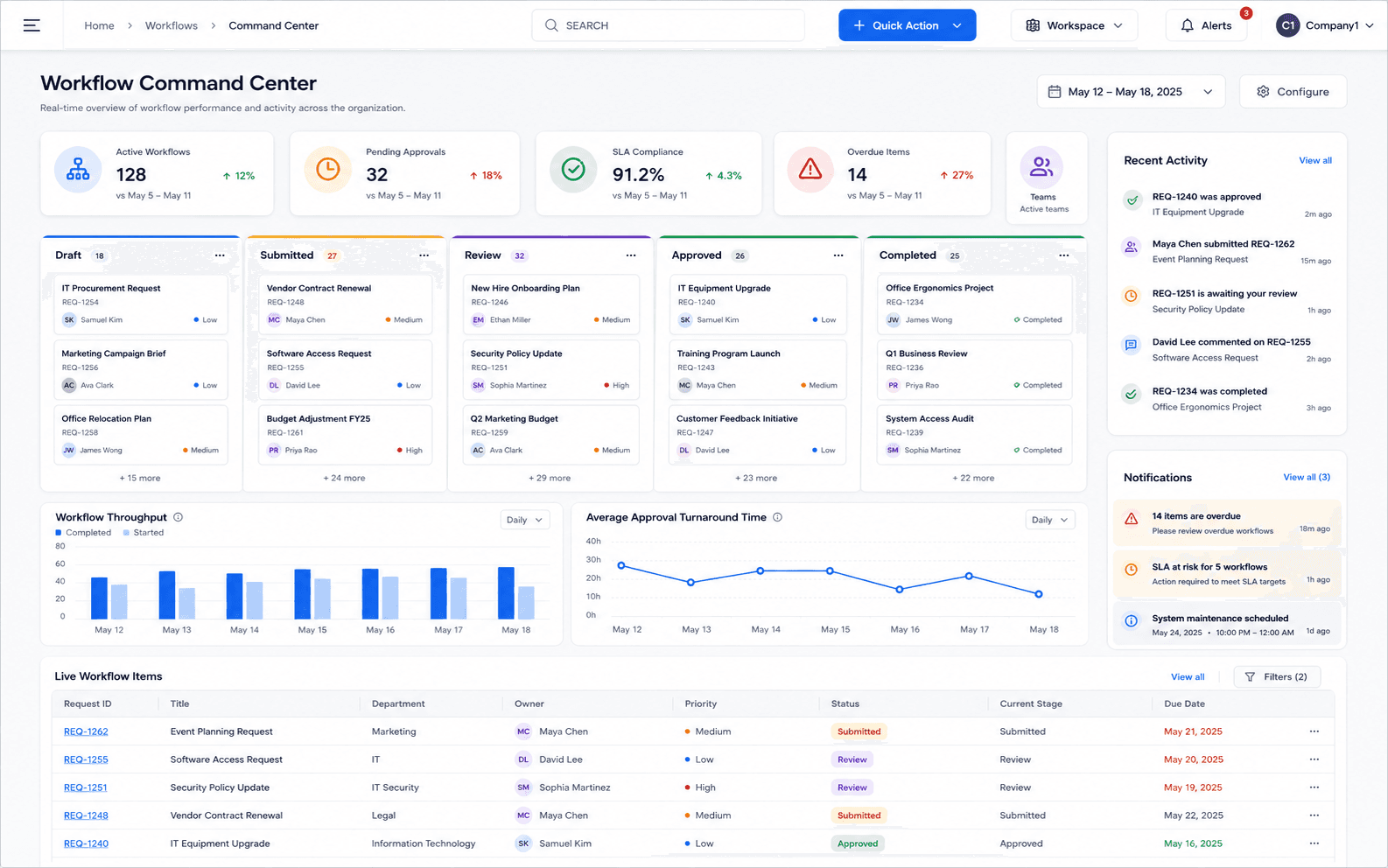
Custom workflow dashboard
Product preview will appear here when the approved Zylvoo screenshot is added.
A future approved project-specific dashboard or prototype.
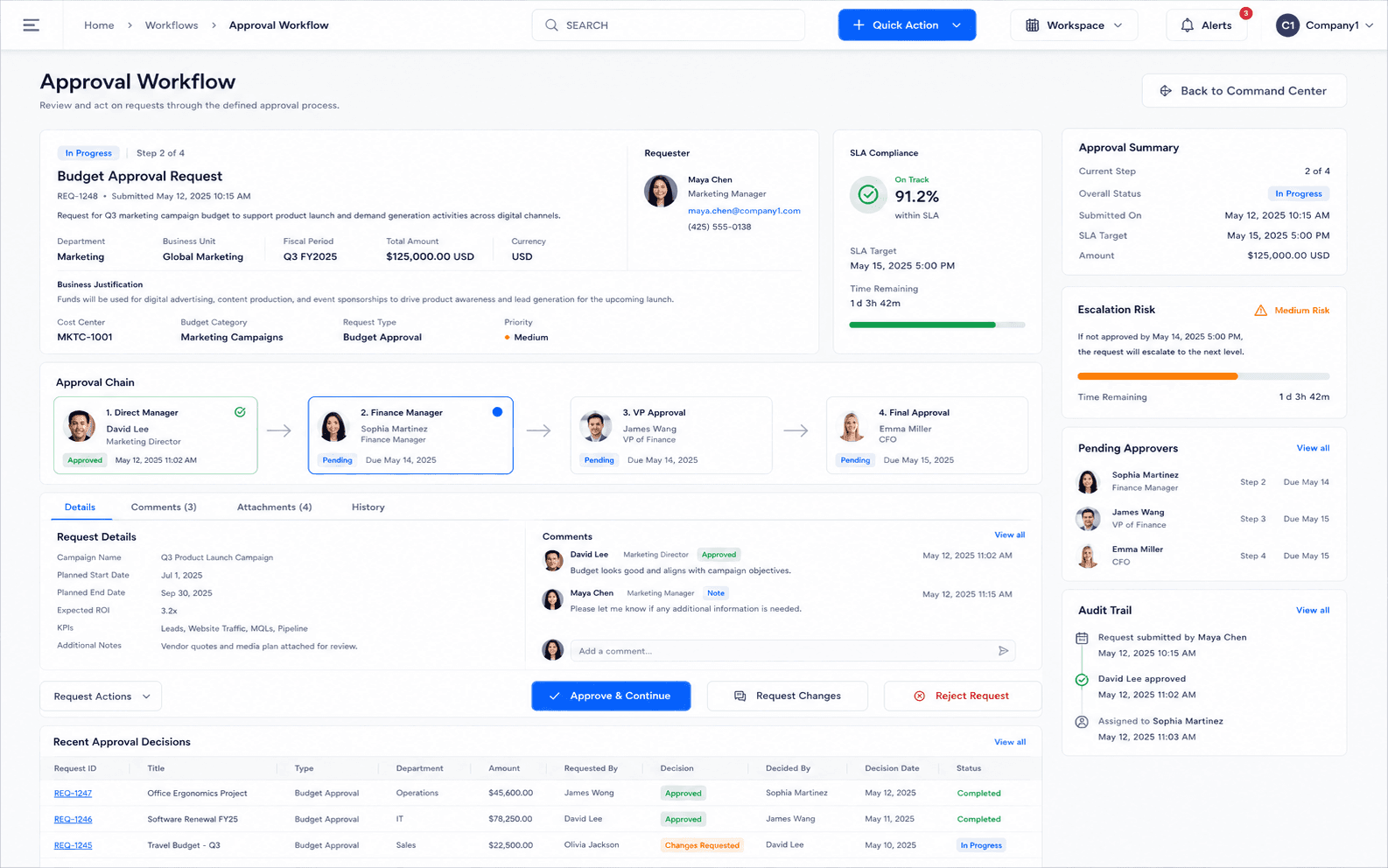
Approval and task view
Product preview will appear here when the approved Zylvoo screenshot is added.
A future approved screen showing statuses, ownership and review actions.
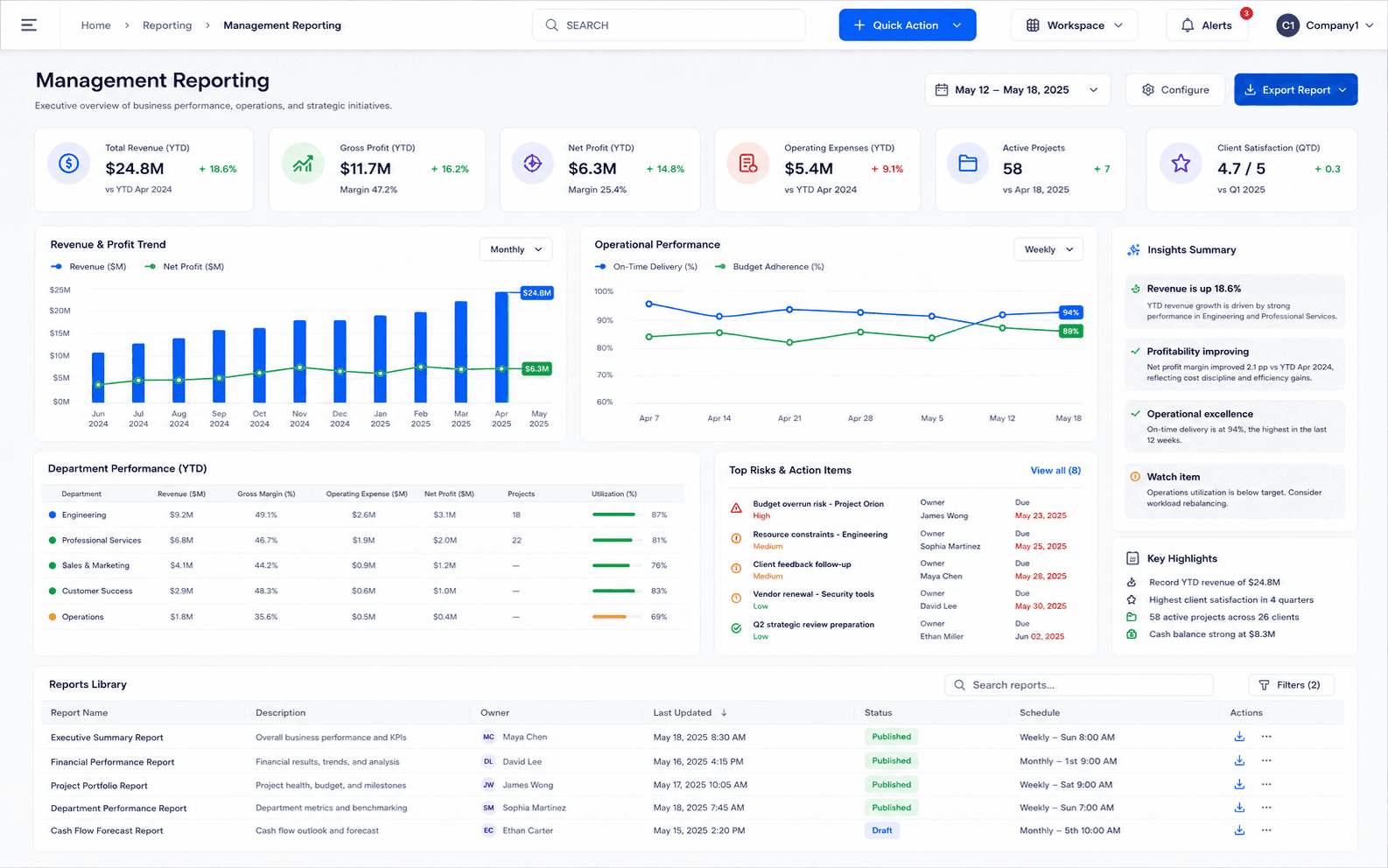
Management reporting
Product preview will appear here when the approved Zylvoo screenshot is added.
A future approved report or dashboard designed around project requirements.
Approved real product screenshots will replace safe fallbacks at the documented local paths. No external or fabricated dashboard image is displayed.
Delivery workflow
A clear delivery path reduces ambiguity and keeps design, development and acceptance aligned.
Custom software delivery
A sample engagement flow showing how business requirements are translated into a maintainable system.
Confirm users, problems, goals and current process.
Define steps, roles, data, exceptions and approvals.
Agree architecture, modules, screens and acceptance criteria.
Develop in phases and validate with authorized users.
Train users, release safely and maintain the approved system.
Timelines, technology choices and deliverables depend on the confirmed requirements, risks and implementation plan.
Reports and dashboards
Reporting is defined during discovery and limited to authorized data and approved business rules.
Track workload, statuses, exceptions and process progress.
Measure agreed workflow indicators without inventing unsupported metrics.
Review approved user actions, changes and workflow history.
Provide controlled exports or downstream handoffs where required.
AI-ready architecture
AI assistance is assessed against data access, privacy, reliability and human-review requirements.
Extract, classify or summarize approved documents for review.
Prepare authorized management summaries from approved operational data.
Highlight configured exceptions or follow-up conditions for authorized users.
Architecture, integration and deployment
Technology and deployment decisions are based on existing systems, user volume, security, hosting and support requirements.
Select a maintainable application structure based on users, data, integrations and future scope.
Connect approved systems only after interfaces, ownership, errors and security responsibilities are confirmed.
Plan cloud, VPS, private or on-premise operation according to the selected stack and support model.
Implementation process
Discovery, design, scope, development, migration, testing, training and support remain visible throughout the project.
Understand the business, current tools, users, priorities and operational challenges.
Map the recommended system, workflows, integrations, controls and reporting approach.
Confirm included modules, responsibilities, assumptions, exclusions and delivery priorities.
Configure approved capabilities or build the agreed custom features and integrations.
Prepare, validate and transfer suitable data using the agreed migration plan.
Verify functionality, permissions, workflows, reports and user acceptance against scope.
Train relevant users, complete readiness checks and move the approved system into use.
Provide agreed maintenance, issue handling and future improvement planning after launch.
Prototype and guided discussion
Custom software is demonstrated through discovery outputs, wireframes, prototypes or relevant approved examples rather than a generic fixed tenant.
Project-specific demonstration
A project-specific prototype or approved walkthrough can be prepared after discovery. No generic live tenant is presented as your future system.
Illustrative proof
This example is intentionally anonymous and does not claim a real client or measured result.
Initial challenge
Requests are submitted through email, approvals are difficult to trace and management cannot see current workload or overdue actions.
Illustrative workflow
Create a structured request, assign responsibility, apply approval rules, capture decisions, notify users and summarize status in a management dashboard.
Modules in the example
Expected operational benefits
Demo workflow only. No named client, measured improvement, customer quotation or certification is claimed.
Custom software pricing
Commercial terms depend on discovery, modules, users, integrations, data migration, complexity, deployment, testing and support.
Custom Software FAQs
A successful custom project needs clear ownership, scope, users, data and acceptance criteria.
It is appropriate when a valuable workflow cannot be supported effectively through configurable ready-made software and the required outcome justifies a custom build.
Yes. Discovery confirms users, process, data, integrations, risks, priorities and acceptance criteria before detailed implementation.
Yes. A phased roadmap can prioritize the highest-value workflow and add approved modules after the first release is stable.
Suitable integrations can be assessed where secure interfaces, data ownership and technical cooperation are available.
The stack is selected after requirements, existing architecture, hosting, support capability and long-term maintenance needs are reviewed.
Maintenance, issue handling, monitoring and enhancement support can be included through an agreed post-launch arrangement.
Build around the real workflow
Share the process, users, approvals, data and reporting problem you need the software to solve.